Chiwei Chang

CC Full Stack Automation LLC

QE architect and senior SDET. I build test automation people trust, and lately, evaluation pipelines for systems that don't behave the same way twice.

this page, measured
lighthouse a11y
100 / 100
axe failures
0
contrast
WCAG AA
runtime deps
3

asserted by this page’s own tests, never typed in; lighthouse run by hand

  • 15+years in QA automation
  • 40%regression runtime cut
  • 16M+patients' data validated
  • 750Selenium scripts owned

Nine apps, built accessibility-first

A suite of productivity, business, and wellbeing tools I designed, built, tested, and keep running. One account covers every app that asks for one. Accessibility is part of how they get built rather than a pass at the end: the test suite guarding this page runs axe-core over its surfaces in both themes, measures contrast arithmetically instead of by eye, and tests the keyboard paths a scanner cannot reach here. The apps are measured too, by the Section 508 and WCAG 2.1 auditor that is one of them, so what still needs fixing in them is a list rather than a guess. All nine are live right now.

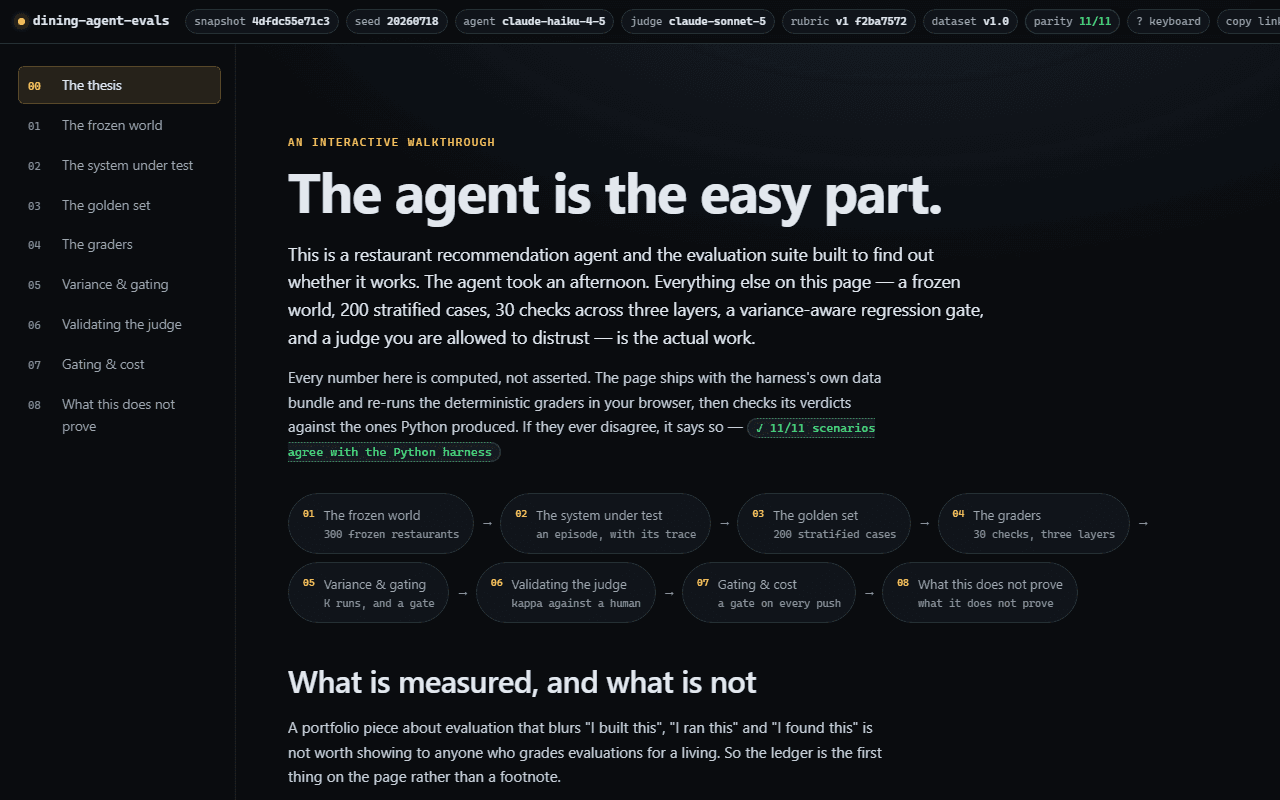
The eval suite walkthrough: a long article headed “The agent is the easy part.”, with a contents list of sections including “Three layers, cheapest first” and “Who grades the grader?”, beside a panel of restaurant search filters.

Anatomy of an Eval Suite

No account needed

evals.ccfullstackautomation.com

An evaluation suite for an LLM agent, and a walkthrough you drive rather than read. The agent recommending restaurants is deliberately the easy part; the machinery around it is the work: a frozen world so the labels cannot rot underneath you, two hundred golden cases, three layers of graders running cheapest first, and a regression gate built on the idea that one run is a sample rather than a measurement. It shows why ninety-five percent agreement between a judge and a human can still describe a useless judge. Break an answer and watch the checks catch it, repair it and watch them go green. Every panel writes what it is showing into the address bar, and the keyboard map sits behind the ? key.

Visit Anatomy of an Eval Suite (opens in a new tab)
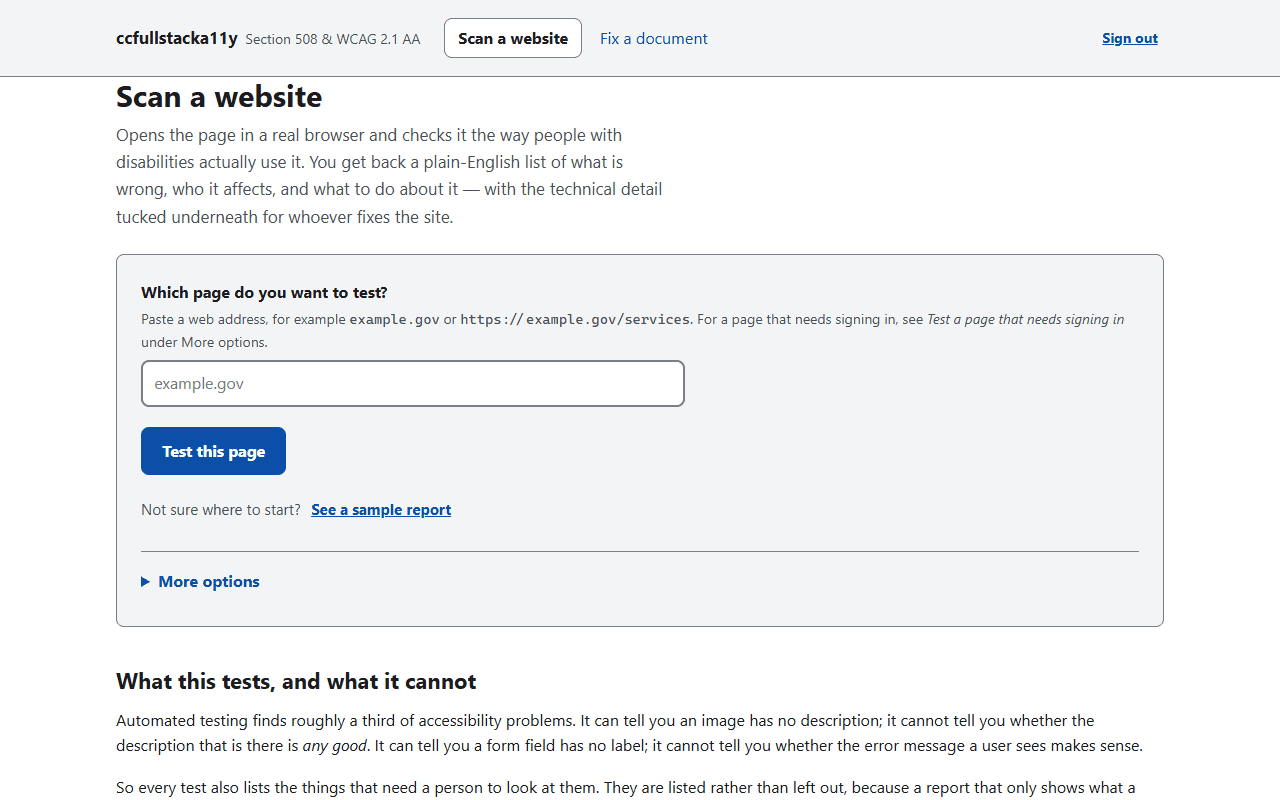
The Accessibility Record scan screen: a field asking which page to test, a Test this page button, and a section headed “What this tests, and what it cannot”, under a banner reading “Section 508 and WCAG 2.1 AA”.

Accessibility Record

accessibilityrecord.com

A Section 508 and WCAG 2.1 AA audit tool that drives a real browser: axe-core, plus the checks automation usually skips because they need live interaction, like reflow, text spacing, keyboard traps, and focus visibility. Findings come back in plain English (what is wrong, who it affects, what to do), each keyed to its WCAG success criterion and, separately, to its Section 508 obligation, because 508 incorporates WCAG 2.0 and conflating the two is the most common error in this field. It also remediates Word, PDF, and HTML documents, repairing the structure it can derive and flagging what needs a person, and it never invents alt text. Two of its own tests run its scanner over its own output, which is how a false-positive keyboard-trap bug was caught.

Visit Accessibility Record (sign-in required) (opens in a new tab)
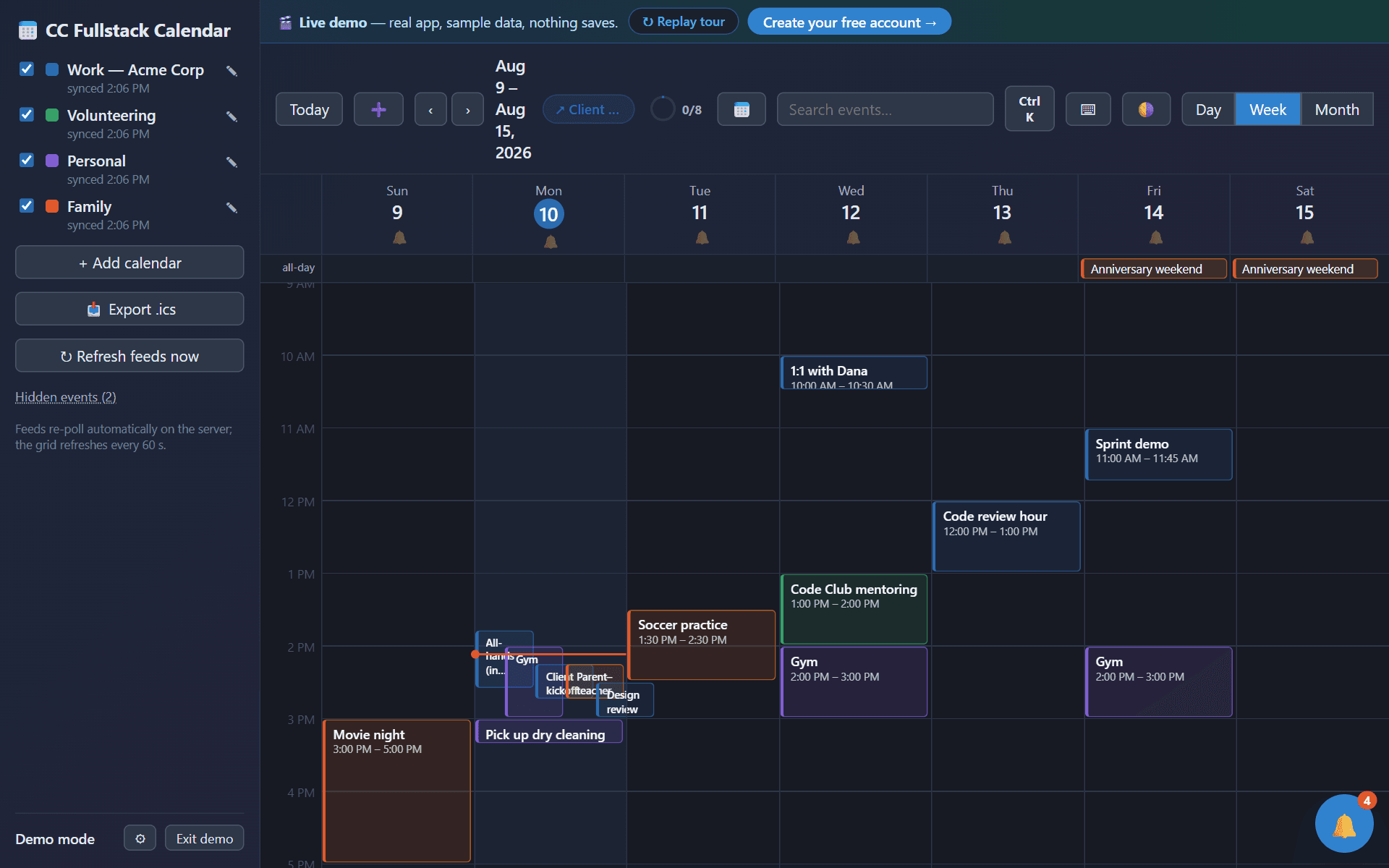
The Calendar app in demo mode: a week grid from August 9 to 15 with events drawn from four color-coded feeds, a sidebar listing each calendar with its last sync time, and day/week/month view controls.

Calendar

Account optional

calendar.ccfullstackautomation.com

Merges Outlook, Google, and iCloud feeds into one color-coded grid, then adds the thing every calendar gets wrong: alarms that actually ring. Each feed gets its own sound, alerts keep firing with the tab closed, and any meeting can ring your phone an hour ahead even on silent. It publishes a booking link that offers only the times you are genuinely free across every feed, and a feed pointed at a web page is called out as exactly that instead of passing as a clean sync of nothing. There is a skip link, live regions so an alarm announces itself, and a keyboard path through the whole grid. A public demo, with sample calendars and real alarms, opens without an account.

Visit Calendar (a sign-in page, with a way in that needs no account) (opens in a new tab)
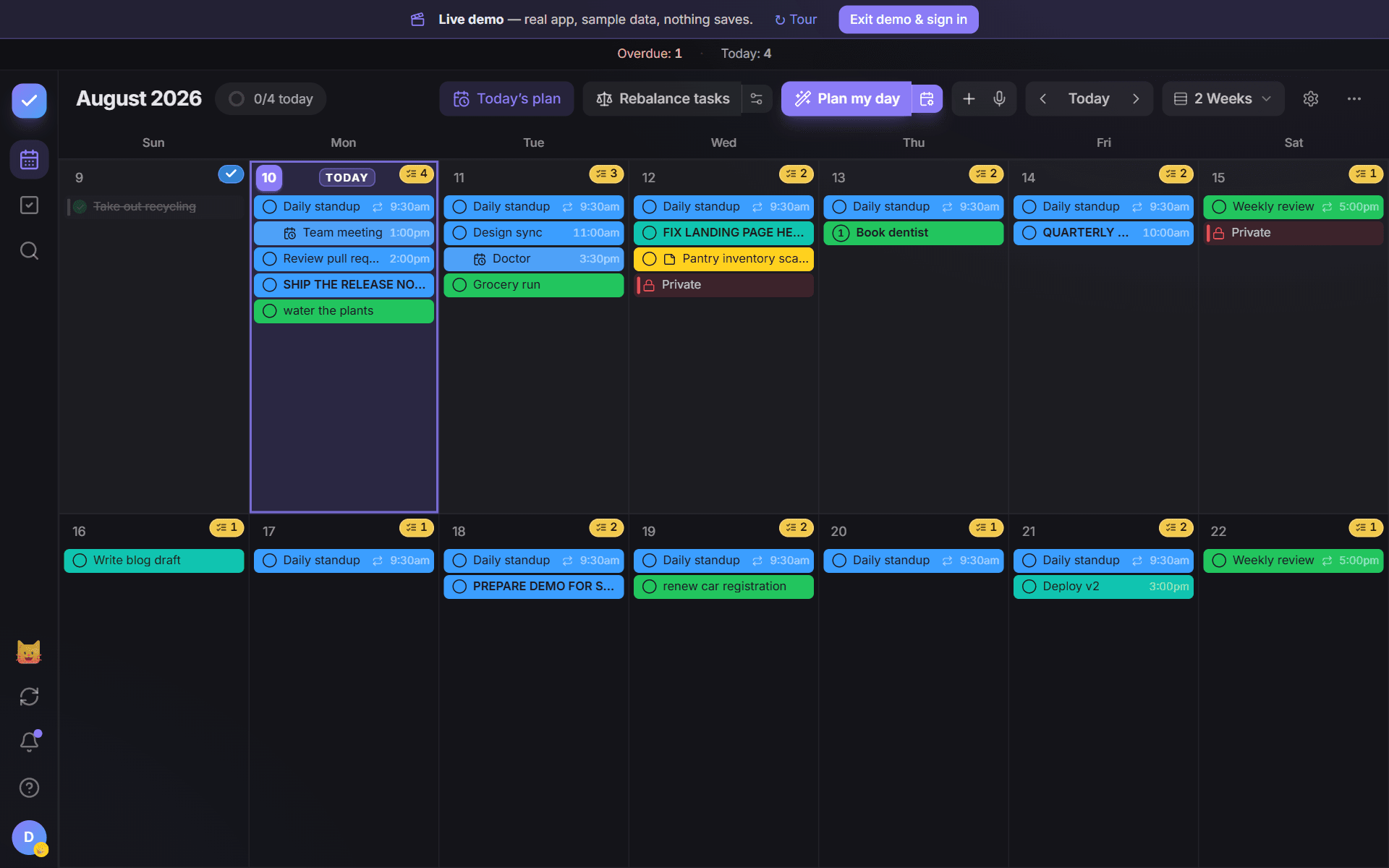
The Todo app's month board in demo mode: a two-week calendar grid with color-coded meetings and tasks on each day, and per-day task counts.

Todo

Account optional

todo.ccfullstackautomation.com

A task planner built on a calendar instead of a list. Click an empty day and start typing; the month board puts meetings and to-dos on the same cells, fills a day into the gaps around what is already fixed, and syncs appointments both ways with Calendar. Any list can be locked with real client-side encryption, so the server only ever holds ciphertext. Task chips choose their text color by measured contrast ratio rather than a brightness guess, after an accessibility pass found combinations sitting at 2.3:1 against a 4.5:1 floor; unit tests now hold every one at WCAG AA. A public demo, with sample data and a guided tour, opens without an account.

Visit Todo (a sign-in page, with a way in that needs no account) (opens in a new tab)
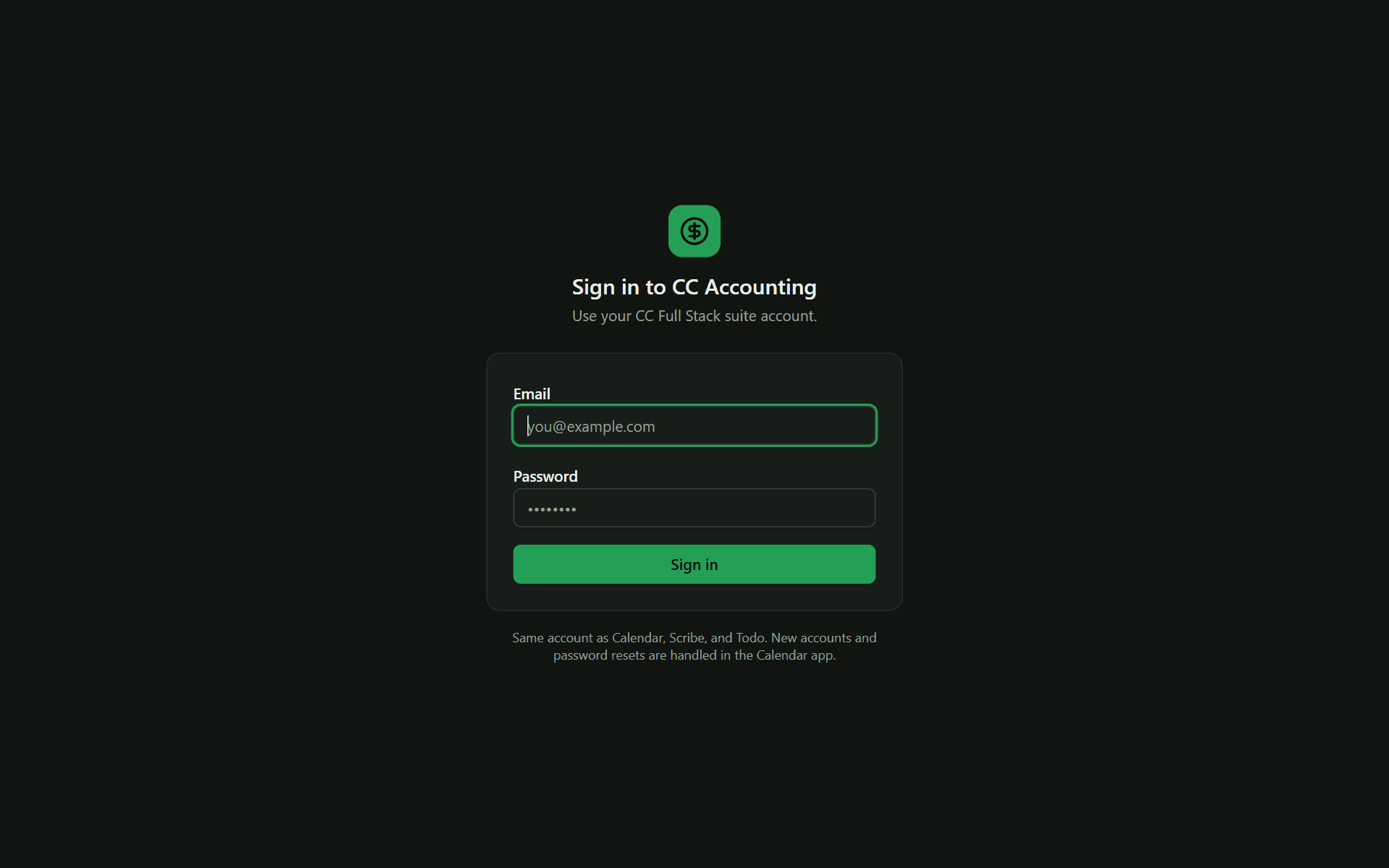
Solo Ledger's sign-in screen: a dollar-sign badge above a dark card with email and password fields.

Solo Ledger

accounting.ccfullstackautomation.com

Books and taxes for a one-person business: it imports transactions, sorts each into business or personal with a confidence score, and holds anything under the threshold for review rather than filing it silently. An optional model fallback for ambiguous merchants sits behind two gates and fails safe, so a guess never quietly becomes a number on a tax form. Money is integer cents end to end; every recategorization writes an audit row. Three screens once disagreed about net profit, and the fix was not to force one number: the books and the tax return answer different questions, so it shows the arithmetic between them. The spending chart is a labeled image with its figures repeated as a real table beside it.

Visit Solo Ledger (sign-in required) (opens in a new tab)
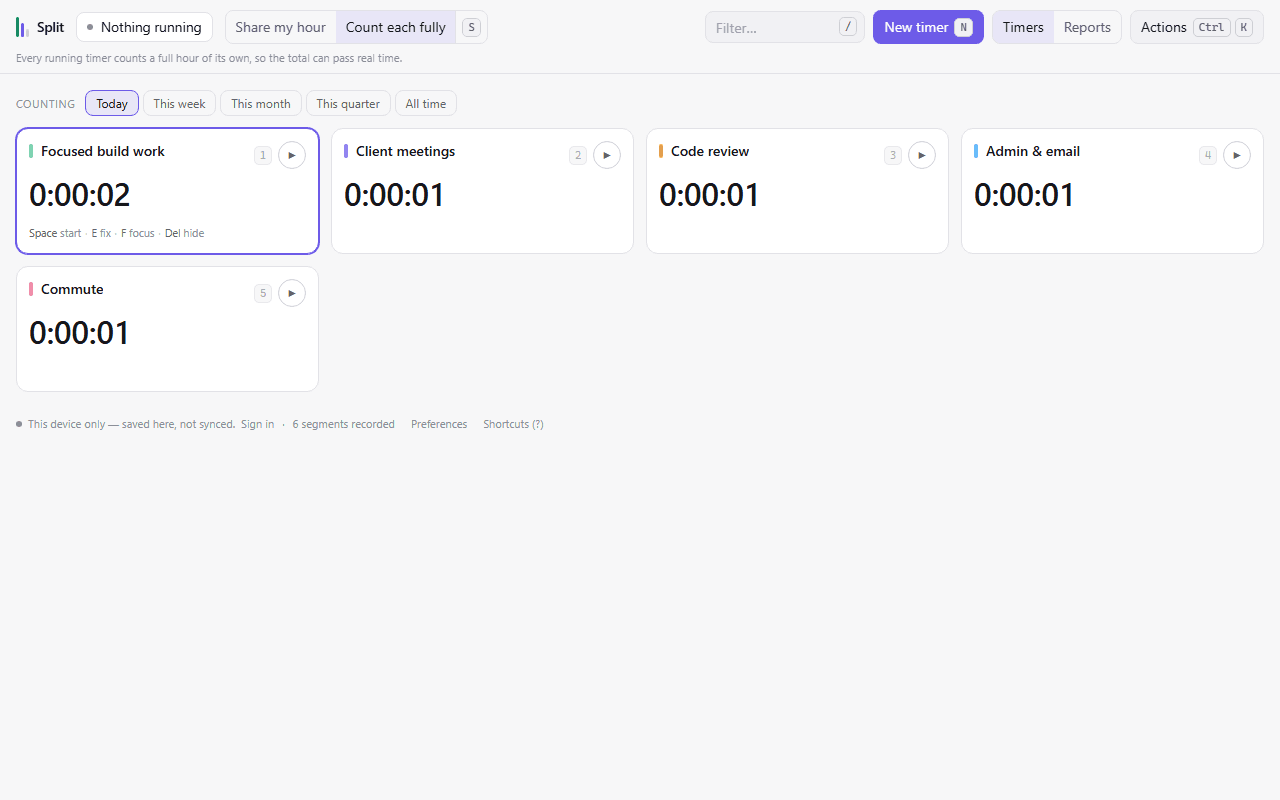
Split's timer board: five color-coded cards (focused build work, client meetings, code review, admin and email, and commute), each showing the time counted against it, above a bar of range filters from today to all time.

Split

split.ccfullstackautomation.com

Time tracking for a day that is not one task: focused work, meetings, code review, admin, the commute. Where other stopwatches quietly let two clocks bill the same hour, this one makes you say which you meant. Either the running timers divide the real hour between them, or each counts fully and the header admits the total has passed real time. It is local-first, so every tick is written to the browser before the network and the count survives going offline, a closed laptop, or a wiped session. Keyboard-first by design, with a skip link, one shortcut registry that both the help overlay and the command palette read from, and a test that refuses duplicate bindings.

Visit Split (sign-in required) (opens in a new tab)
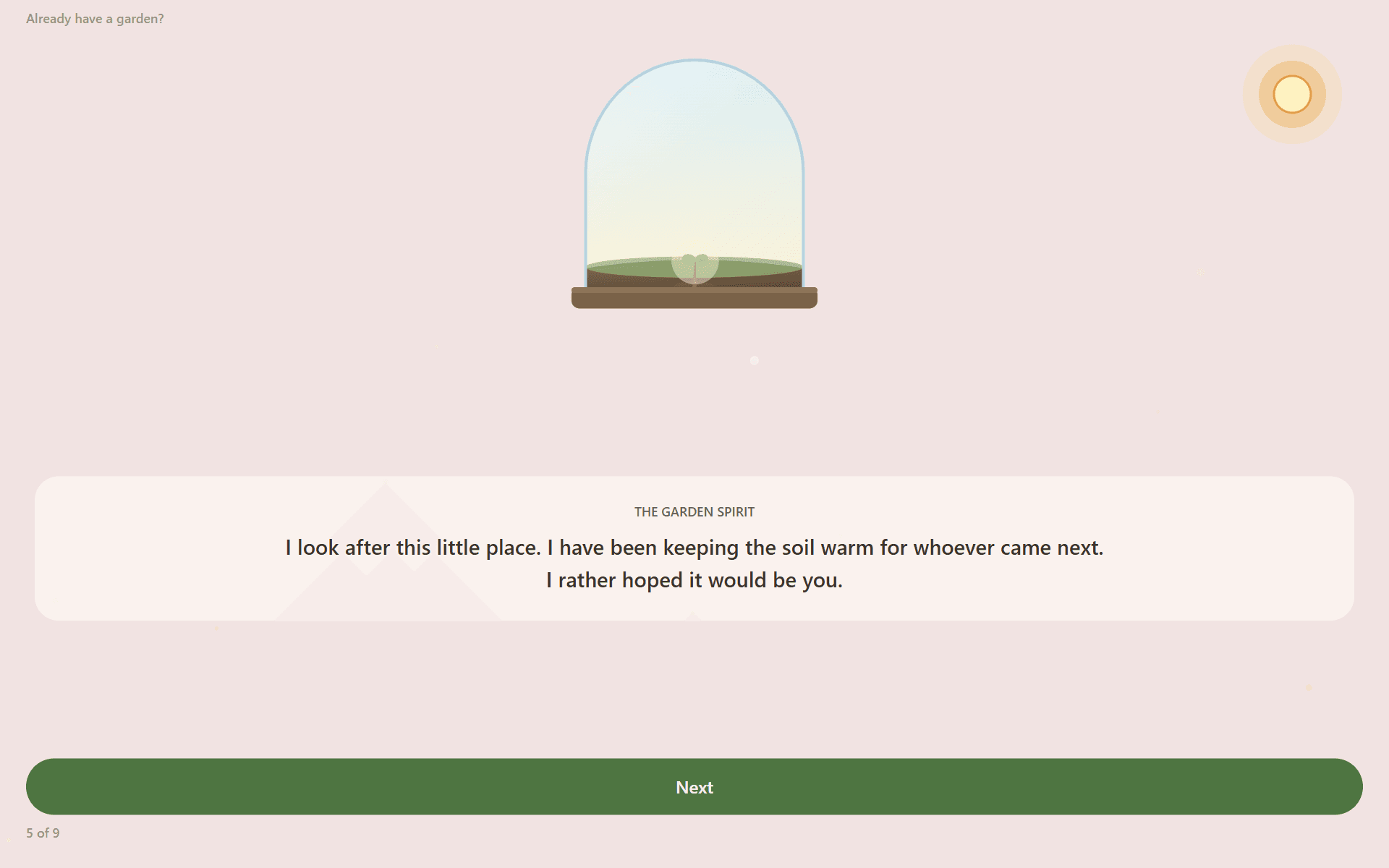
Sunpetal's opening scene: a small plant sprouting inside a glass terrarium on a wooden base, a soft sun in the corner, and a line of dialogue from the garden spirit below.

Sunpetal

No account needed

sunpetal.app

A gratitude journal shaped like a terrarium. Note one good thing and it falls as a drop of water; the seed becomes a sprout, then a sapling, then a tree you are sitting under. Miss a day or a month and nothing wilts, which is deliberate: it is the rare habit app that never scolds you for stopping. The hardest accessibility problem here was the artwork itself. The plant is a single generated drawing, so the value that shapes it also writes the sentence a screen reader hears, which is what keeps the two from drifting apart, and every ornament in the glass is a real control with a target big enough to hit. Its own domain, its own world.

Visit Sunpetal (opens in a new tab)
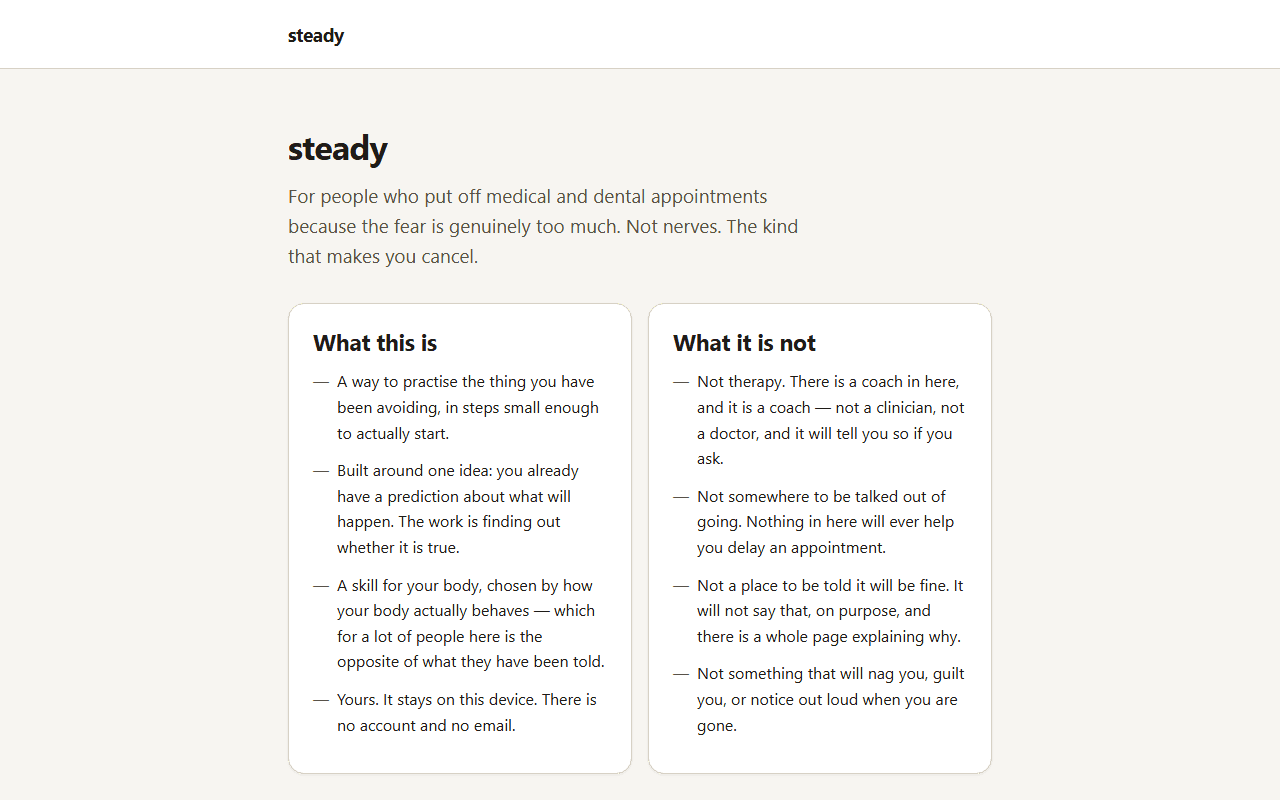
steady's opening screen: a heading reading “steady”, sections headed “What this is” and “What it is not”, and two buttons, “Start the questions” and “Read how it works first”.

steady

No account needed

steady.ccfullstackautomation.com

A practice tool for people whose fear of needles, dental work, or scans is severe enough that they put off going. Most anxiety apps hand this group breathing exercises, which for fainters is the wrong intervention: fear of blood and needles drops blood pressure, and slow breathing drops it further. So it asks three questions about fainting before anything else, and one yes moves you to applied tension instead. That branch is enforced where the exercise is chosen rather than in the wording, so the code cannot offer a fainter a relaxation exercise. It is careful about what it is not: no diagnosis, nothing about sedation, and a visible route to a professional throughout. It never caps zoom either, which is the WCAG requirement most apps quietly break.

Visit steady (opens in a new tab)
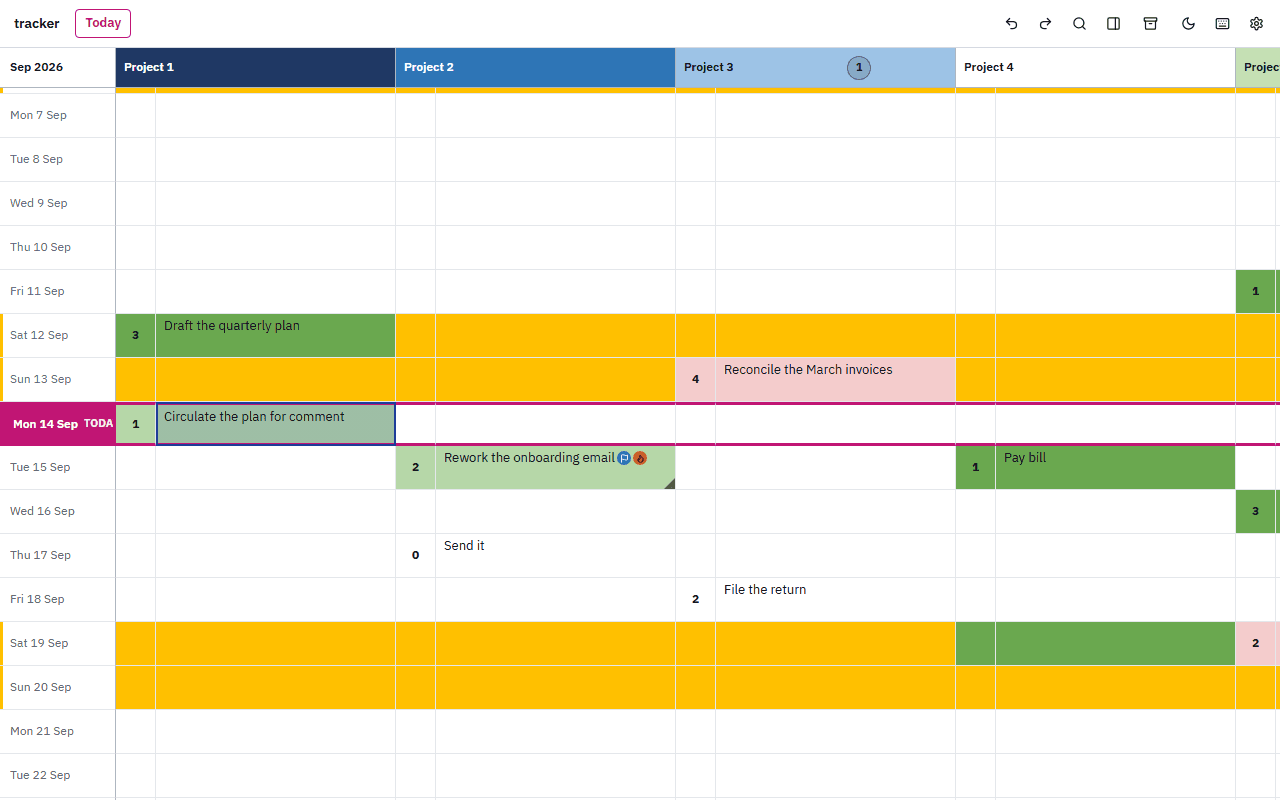
tracker's grid: one row per calendar day down the left, pairs of columns across the top for four projects, today's row marked in red, weekend rows tinted yellow, and tasks such as “Draft the quarterly plan” and “Reconcile the March invoices” filled in their status colours.

tracker

Account optional

tracker.ccfullstackautomation.com

A daily task tracker that looks like a spreadsheet and behaves better than one: a row for every calendar day, a pair of columns for every project, and at most one task per project per day, which the database enforces with a unique index rather than a hand-written check. Every change is stored as a list of before-and-after pairs, so undo simply applies the befores and cannot drift from what the change actually did. Dates are local calendar keys built without UTC, because slicing an ISO timestamp quietly moves the day for anyone west of Greenwich. It runs entirely in the browser, offline included, and works fully without an account; signing in is optional and adds a nightly backed-up copy on its server so the same grid reaches another device. The grid follows the ARIA grid pattern, every cell names its project, date and status, and no axe rule is disabled anywhere.

Visit tracker (a sign-in page, with a way in that needs no account) (opens in a new tab)

What I do

I have spent more than 15 years as an SDET and QA automation lead, mostly on web and client/server systems in healthcare, financial services, government, and education.

The part of the job I actually like is the unglamorous part: taking a regression suite nobody trusts and making it trustworthy again. Recently that has meant converting a manual suite to Playwright and TypeScript on a high-traffic reservation platform and cutting runtime by roughly 40 percent, then building the evaluation layer for its GenAI features: Promptfoo pipelines, custom Python eval harnesses, golden datasets for regression, and LLM-as-judge scoring where outputs are too open-ended for string matching. The problem I find most interesting there is that model and prompt versions shift under you, so regression means something different than it does for deterministic code, and the test design has to account for that.

Earlier I ran interface and ETL validation for a health information exchange serving more than 16 million patients, covering HL7, SDA, C-CDA, and CCD feeds behind about 750 Selenium scripts under Jenkins and Maven. Before that, Section 508 accessibility work with JAWS and NVDA on a federal patent system, and back-end data validation on online banking.

  • Test automation

    Playwright, TypeScript, Selenium WebDriver, Cypress, WebdriverIO, Appium. Frameworks built from scratch and inherited ones made reliable.

  • GenAI and LLM evaluation

    Promptfoo, custom Python harnesses, golden datasets, LLM-as-judge scoring, regression across model and prompt versions.

  • API and ETL testing

    REST-Assured, Postman, SoapUI, SQL-heavy data validation, HL7 and C-CDA healthcare interfaces.

  • Accessibility

    Section 508 and WCAG audits with JAWS and NVDA. This site is built to pass the same audit, and it does.

  • Performance and security

    JMeter, LoadRunner, Burp Suite, OWASP ZAP, Kali Linux.

  • CI/CD and infrastructure

    Jenkins, GitLab CI, AWS Lambda, S3, CloudFormation, Docker, Kubernetes.

Credentials

ISTQB-CTFL, Certified Tester Foundation Level. CSM, Certified ScrumMaster. SEC542, Web Application Penetration Tester. ICP-FDO, ICAgile Certified Professional in Foundations of DevOps.

Daily
TypeScript, JavaScript, Python, Java, C#, Ruby, SQL
Also worked in
Scala, PHP, C++, VBScript, Bash

U.S. citizen. Previously cleared, clearance-eligible. Remote.

Get in touch

For work inquiries, or anything about the apps above:

Or find the fuller history: LinkedIn (opens in a new tab)